Posted on Leave a comment

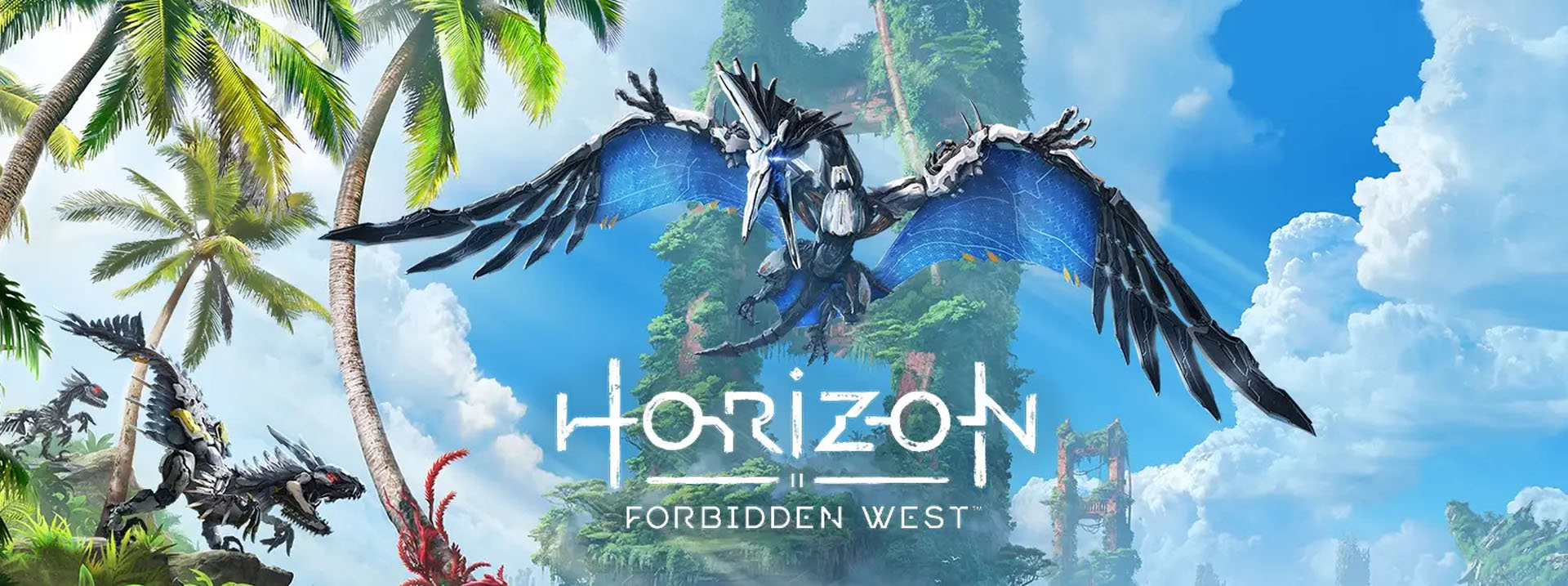
Horizon Forbidden West Recommended Specs

[vc_row][vc_column][vc_column_text]

Quick Info:

  • Release Date: Feb 18, 2022
  • Genres: Adventure game, Action role-playing game, Shooter Video Game
  • Developer: Guerrilla Games
  • Publisher: Sony Interactive Entertainment

Horizon Forbidden West Game Score:

  • User Score: 9.0/10
  • Gameplay Score: 9.0/10
  • Graphics Score: 9.0/10

About Horizon Forbidden West:

If you love to run and gun, this mode is for you. Attackers can take on the defenders’ objective, but at a cost: Active Camo is only available to them. Threat Sensors are limited to defenders, who must use stealth to make sure that no enemy slips past their defense.
Create your own Spartan and embark on an epic journey to fight alongside your fellow Spartans to reclaim all that has been lost. Millions of possibilities await you in Halo Infinite, as you can customize your character’s look, armor, weapons, and vehicles.

Horizon Forbidden West Minimum Specifications:

Requires a 64-bit processor and operating system.

  • OS: Windows 7 64-bit or more
  • Processor: Intel Core i5-2500K 3.3GHz / AMD FX-8320
  • Memory: 8 GB RAM
  • Graphics: AMD Radeon RX 570 4GB or NVIDIA GeForce GTX 970 4GB
  • Sound Card: DirectX 11 compatible sound card
  • Storage: 65 GB available space

Horizon Forbidden West Recommended Specs:

Requires a 64-bit processor and operating system.

  • OS: Windows 10 64-bit
  • Processor: Intel Core i7-6700K 4-Core 4.0GHz / AMD Ryzen R7 1700
  • Memory: 16 GB RAM
  • Graphics: AMD Radeon RX Vega 56 8GB or NVIDIA GeForce GTX 1070
  • Sound Card: DirectX 11 compatible sound card
  • Storage: 65 GB available space

[/vc_column_text][/vc_column][/vc_row][vc_row disable_element=”yes” css=”.vc_custom_1670940810940{margin-bottom: 32px !important;}” conditional_render=”%5B%7B%22value_role%22%3A%22administrator%22%7D%5D”][vc_column][porto_ultimate_heading main_heading=”Hankerz Recommeded Build” sub_heading_color=”#555555″ alignment=”left” main_heading_font_weight=”700″ sub_heading_font_weight=”” main_heading_font_size=”22″ main_heading_line_height=”22″ main_heading_letter_spacing=”0″ main_heading_margin_bottom=”2″ sub_heading_letter_spacing=”-0.03em” sub_heading_line_height=”22px” main_heading_porto_typography=”{“family“:“Default“,“variant“:“Default“,“font_size“:“26“,“line_height“:““,“letter_spacing“:““,“text_transform“:““}” sub_heading_porto_typography=”{“family“:“Default“,“variant“:“Default“,“font_size“:“14“,“line_height“:“28“,“letter_spacing“:““,“text_transform“:““}” el_class=”brandpage-subtitles”][/porto_ultimate_heading][vc_row_inner disable_element=”yes”][vc_column_inner animation_delay=”300″ animation_type=”fadeIn”][porto_products use_simple=”” count=”8″ el_class=”bg-white mb-0 px-4 pt-4 rounded” ids=”15233, 18003, 17724, 3822, 17986, 14590, 17883″][/vc_column_inner][/vc_row_inner][/vc_column][/vc_row]

Posted on Leave a comment

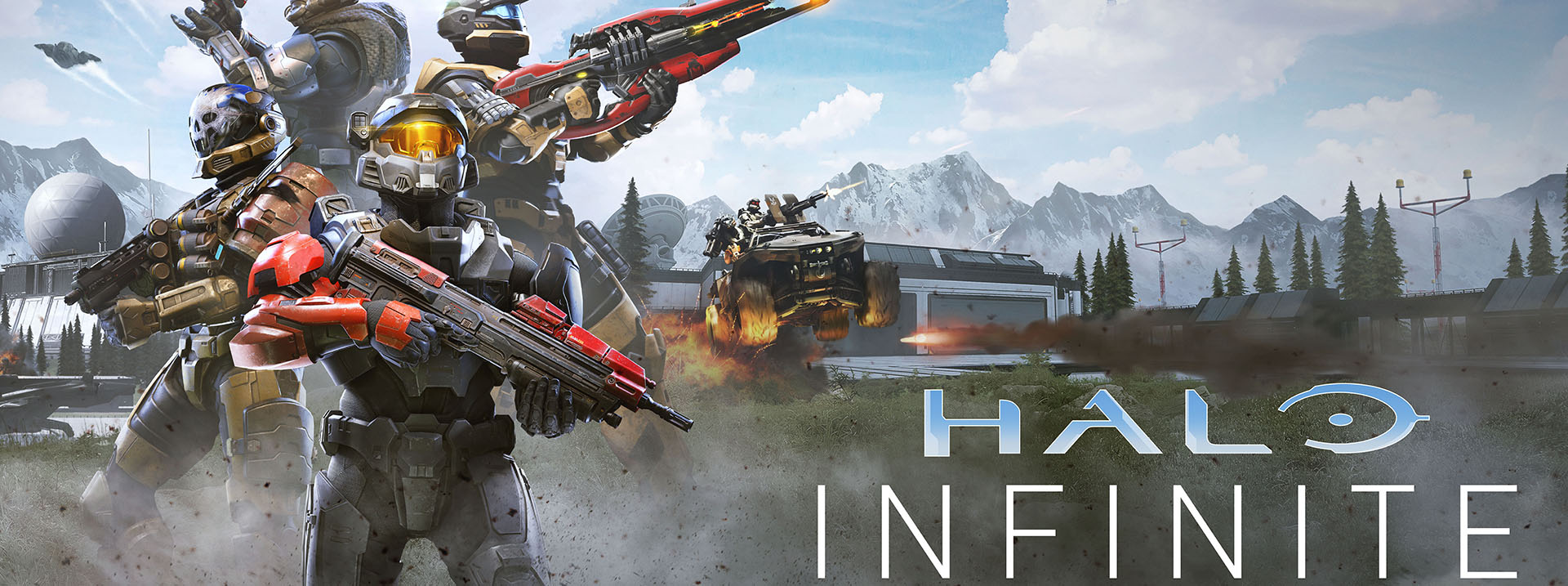
Halo Infinite Recommended Specs

[vc_row][vc_column][vc_column_text]

Quick Info:

  • Release Date: Nov 15, 2021
  • Genres: FPS, Free-to-Play, Adventure Game
  • Developer: 343 Industries
  • Publisher: Xbox Game Studio

Halo Infinite Game Score:

  • User Score: 8.0/10
  • Gameplay Score: 8.0/10
  • Graphics Score: 9.0/10

About Halo Infinite:

If you love to run and gun, this mode is for you. Attackers can take on the defenders’ objective, but at a cost: Active Camo is only available to them. Threat Sensors are limited to defenders, who must use stealth to make sure that no enemy slips past their defense.
Create your own Spartan and embark on an epic journey to fight alongside your fellow Spartans to reclaim all that has been lost. Millions of possibilities await you in Halo Infinite, as you can customize your character’s look, armor, weapons, and vehicles.

Halo Infinite Minimum Specifications:

Requires a 64-bit processor and operating system.

  • OS: Windows 10 64-bit
  • Processor: AMD Ryzen 5 1600 or Intel i5-4440
  • Memory: 8 GB RAM
  • Graphics: AMD RX 570 or Nvidia GTX 1050 Ti
  • DirectX: Version 12
  • Storage: 50 GB available space

Halo Infinite Recommended Specs:

Requires a 64-bit processor and operating system.

  • OS: Windows 10 64-bit
  • Processor: AMD Ryzen 7 3700X or Intel i7-9700k
  • Memory: 16 GB RAM
  • Graphics: Radeon RX 5700 XT or Nvidia RTX 2070
  • DirectX: Version 12
  • Storage: 50 GB available space

[/vc_column_text][/vc_column][/vc_row][vc_row disable_element=”yes” css=”.vc_custom_1670940810940{margin-bottom: 32px !important;}” conditional_render=”%5B%7B%22value_role%22%3A%22administrator%22%7D%5D”][vc_column][porto_ultimate_heading main_heading=”Hankerz Recommeded Build” sub_heading_color=”#555555″ alignment=”left” main_heading_font_weight=”700″ sub_heading_font_weight=”” main_heading_font_size=”22″ main_heading_line_height=”22″ main_heading_letter_spacing=”0″ main_heading_margin_bottom=”2″ sub_heading_letter_spacing=”-0.03em” sub_heading_line_height=”22px” main_heading_porto_typography=”{“family“:“Default“,“variant“:“Default“,“font_size“:“26“,“line_height“:““,“letter_spacing“:““,“text_transform“:““}” sub_heading_porto_typography=”{“family“:“Default“,“variant“:“Default“,“font_size“:“14“,“line_height“:“28“,“letter_spacing“:““,“text_transform“:““}” el_class=”brandpage-subtitles”][/porto_ultimate_heading][vc_row_inner disable_element=”yes”][vc_column_inner animation_delay=”300″ animation_type=”fadeIn”][porto_products use_simple=”” count=”8″ el_class=”bg-white mb-0 px-4 pt-4 rounded” ids=”15233, 18003, 17724, 3822, 17986, 14590, 17883″][/vc_column_inner][/vc_row_inner][/vc_column][/vc_row]

Posted on Leave a comment

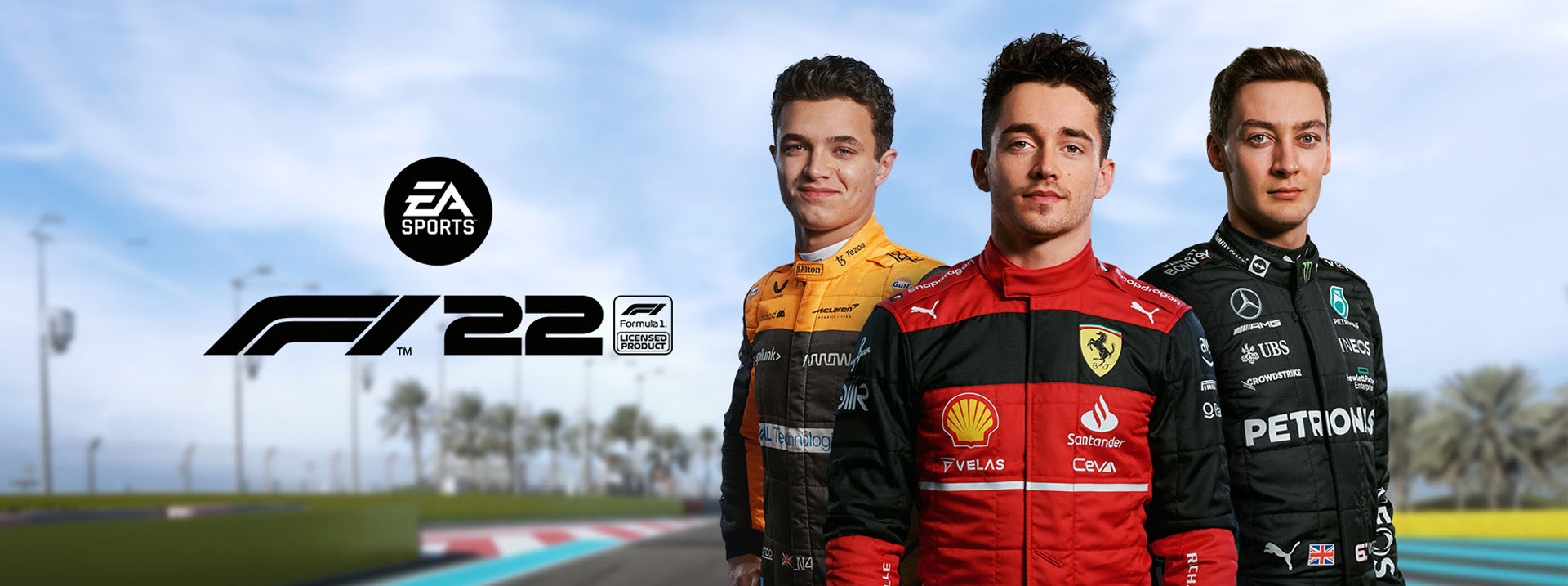
Formula F1 2022 Recommended Specs

[vc_row][vc_column][vc_column_text]

Quick Info:

  • Release Date: June 28, 2022
  • Genres: Driving, Racing
  • Developer: Code Masters
  • Publisher: EA Sports

F1 2022 Game Score:

  • User Score: 8.0/10
  • Gameplay Score: 8.0/10
  • Graphics Score: 9.0/10

About F1 2022:

Sit down, buckle up, and get ready for a thrilling new experience behind the wheel of a Formula 1 machine. Take to the track in your F1 car or speed down a fantasy-filled street as you race supercars on F1 Life. Racing for the win is nothing new for EA. And now, you can be part of the experience. Go head-to-head with a host of drivers from around the world as you hit the track with a new F1 car in F1 2018.Overall, the game is great and the graphics are superior, to enjoy the game as intended, Hankerz is bringing you the minimum and recommended hardware specs to enjoy the game to the fullest.

F1 2022 Minimum Specifications:

Requires a 64-bit processor and operating system.

  • OS: Windows 10 64-bit
  • Processor: Ryzen 5 2600, Core i5-8600
  • Memory: 8 GB RAM
  • Graphics: RX 570, GTX 1050 Ti
  • DirectX: Version 12
  • Network: Broadband Internet connection
  • Storage: 50 GB available space

F1 2022 Recommended Specs:

Requires a 64-bit processor and operating system.

  • OS: Windows 10 64-bit
  • Processor: Ryzen 5 3600, Core i7-8700
  • Memory: 16 GB RAM
  • Graphics: Radeon RX5700 (8GB), GeForce RTX 2070 (8GB)
  • DirectX: Version 12
  • Network: Broadband Internet connection
  • Storage: 50 GB available space

[/vc_column_text][/vc_column][/vc_row][vc_row disable_element=”yes” css=”.vc_custom_1670940810940{margin-bottom: 32px !important;}” conditional_render=”%5B%7B%22value_role%22%3A%22administrator%22%7D%5D”][vc_column][porto_ultimate_heading main_heading=”Hankerz Recommeded Build” sub_heading_color=”#555555″ alignment=”left” main_heading_font_weight=”700″ sub_heading_font_weight=”” main_heading_font_size=”22″ main_heading_line_height=”22″ main_heading_letter_spacing=”0″ main_heading_margin_bottom=”2″ sub_heading_letter_spacing=”-0.03em” sub_heading_line_height=”22px” main_heading_porto_typography=”{“family“:“Default“,“variant“:“Default“,“font_size“:“26“,“line_height“:““,“letter_spacing“:““,“text_transform“:““}” sub_heading_porto_typography=”{“family“:“Default“,“variant“:“Default“,“font_size“:“14“,“line_height“:“28“,“letter_spacing“:““,“text_transform“:““}” el_class=”brandpage-subtitles”][/porto_ultimate_heading][vc_row_inner disable_element=”yes”][vc_column_inner animation_delay=”300″ animation_type=”fadeIn”][porto_products use_simple=”” count=”8″ el_class=”bg-white mb-0 px-4 pt-4 rounded” ids=”15233, 18003, 17724, 3822, 17986, 14590, 17883″][/vc_column_inner][/vc_row_inner][/vc_column][/vc_row]

Posted on Leave a comment

Need for Speed Unbound Recommended Specs

[vc_row][vc_column][vc_column_text]

Quick Info:

  • Release Date: 2 Dec, 2022
  • Genres: Action, Racing
  • Developer: Criterion Games
  • Publisher: Electronics Arts “EA”

LoL Game Score:

  • User Score: 8.0/10
  • Gameplay Score: 8.0/10
  • Graphics Score: 9.0/10

About Need for Speed Unbound:

From the popular series of Need for Speed, this is the latest edition released on the 2nd of Dec 2022. As usual the game story line kicks in which huge adrenaline rush that makes you feel you are a part of the Fast & Furious movie franchise.

Storyline this time makes you a part time street racer and a part time garage worker. Like most wanted this game is built around money and heat. You make money by winning races and this allows you to upgrade your garage and cars. While you win races you will also increase your heat and this makes big cops chases as usual.

Need for Speed Unbound is currently purchasable through Steam. There is 2 editions of the game. The original and Palace Edition. Palace Edition gives you access for exclusive content like 4 customs cars, cosmetics clothes pack and much more.

Overall, the game is great and the graphics are superior, to enjoy the game as intended, Hankerz is bringing you the minimum and recommended hardware specs to enjoy the game to the fullest.

Need for Speed Unbound Minimum Specifications:

Requires a 64-bit processor and operating system.

  • OS: Windows 10 64-bit
  • Processor: Ryzen 5 2600, Core i5-8600
  • Memory: 8 GB RAM
  • Graphics: RX 570, GTX 1050 Ti
  • DirectX: Version 12
  • Network: Broadband Internet connection
  • Storage: 50 GB available space

Need for Speed Unbound Recommended Specs:

Requires a 64-bit processor and operating system.

  • OS: Windows 10 64-bit
  • Processor: Ryzen 5 3600, Core i7-8700
  • Memory: 16 GB RAM
  • Graphics: Radeon RX5700 (8GB), GeForce RTX 2070 (8GB)
  • DirectX: Version 12
  • Network: Broadband Internet connection
  • Storage: 50 GB available space

[/vc_column_text][/vc_column][/vc_row][vc_row disable_element=”yes” css=”.vc_custom_1670940810940{margin-bottom: 32px !important;}” conditional_render=”%5B%7B%22value_role%22%3A%22administrator%22%7D%5D”][vc_column][porto_ultimate_heading main_heading=”Hankerz Recommeded Build” sub_heading_color=”#555555″ alignment=”left” main_heading_font_weight=”700″ sub_heading_font_weight=”” main_heading_font_size=”22″ main_heading_line_height=”22″ main_heading_letter_spacing=”0″ main_heading_margin_bottom=”2″ sub_heading_letter_spacing=”-0.03em” sub_heading_line_height=”22px” main_heading_porto_typography=”{“family“:“Default“,“variant“:“Default“,“font_size“:“26“,“line_height“:““,“letter_spacing“:““,“text_transform“:““}” sub_heading_porto_typography=”{“family“:“Default“,“variant“:“Default“,“font_size“:“14“,“line_height“:“28“,“letter_spacing“:““,“text_transform“:““}” el_class=”brandpage-subtitles”][/porto_ultimate_heading][vc_row_inner disable_element=”yes”][vc_column_inner animation_delay=”300″ animation_type=”fadeIn”][porto_products use_simple=”” count=”8″ el_class=”bg-white mb-0 px-4 pt-4 rounded” ids=”15233, 18003, 17724, 3822, 17986, 14590, 17883″][/vc_column_inner][/vc_row_inner][/vc_column][/vc_row]

Posted on Leave a comment

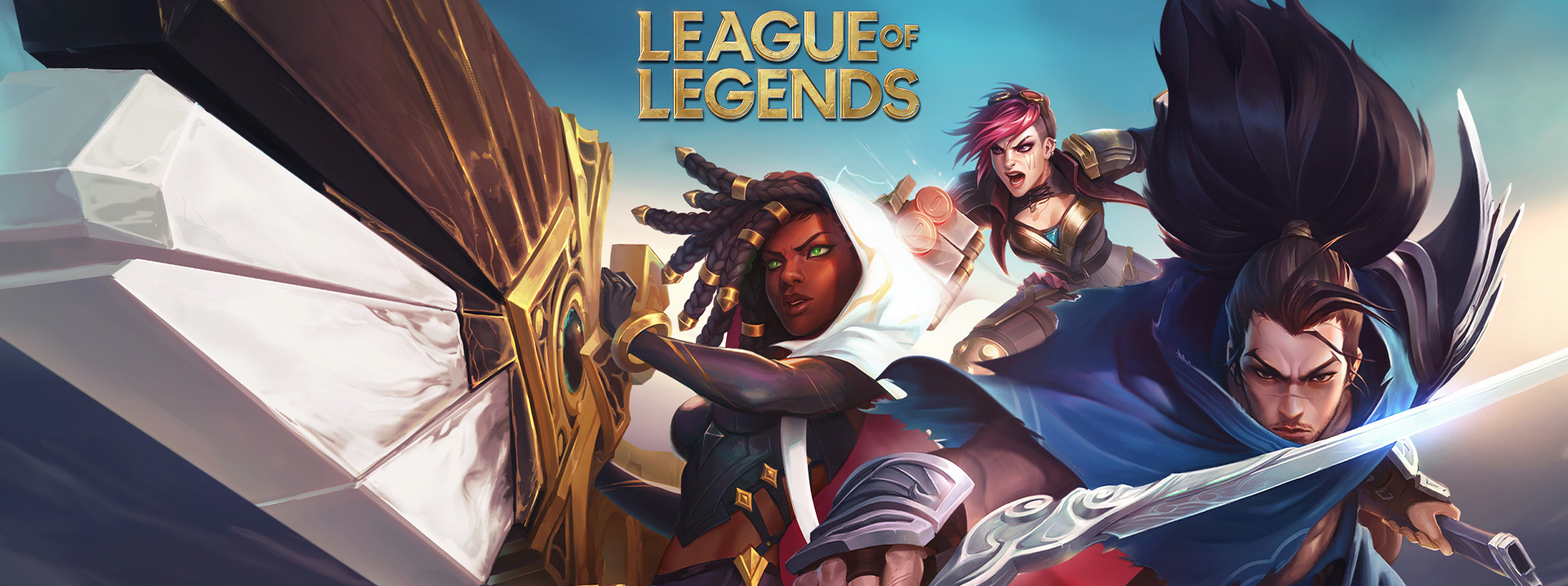
League of Legends Recommended Specs

[vc_row][vc_column][vc_column_text]

Quick Info:

  • Release Date: 27 Oct, 2009
  • Genres: Multiple online battle arena, Action role-playing game
  • Developer: Riot Games
  • Publisher: Electronics Arts “EA”

LoL Game Score:

  • User Score: 8.0/10
  • Gameplay Score: 8.0/10
  • Graphics Score: 9.0/10

About League of Legends:

In League of Legends, two teams of powerful champions square off in a fight where the only objective is to destroy the other’s base. Each champion has four abilities and can be customized with items that enhance their powers. Work together as a team to secure kills and destroy towers – or take matters into your own hands with an epic play!

When you start playing League, the first thing you’ll do is pick a champion. Every character in League has their own unique abilities, spells, and items that suit different playstyles. To be effective, it’s important to understand what these abilities do, how they work together to create a build path, and when they should be used on the battlefield.

Champions earn experience points and gold by defeating enemy minions, champions and turrets. Higher level champions have access to more powerful items and can use them to overpower the enemy team and destroy their base

LoL Minimum Specifications:

Requires Up to 3 GHz Processor and operating system

  • Processor: Intel Core i3-530 or AMD A6-3650
  • RAM: 2 GB
  • Storage: 16 GB
  • Graphic card: NVIDIA GeForce 9600GT or AMD Radeon HD 6570
  • Operating system: Windows 7 or higher operating system
  • Screen Resolution: up to 1920 x 1200

LoL Recommended Specs:

  • Processor: Intel core i5-3300 or AMD Ryzen 3 1200
  • Ram: 4 GB
  • Storage: 12 GB
  • Graphic card: NVIDIA GeForce GTX 560 or AMD Radeon HD 6950
  • Operating system: Windows 10 64-Bit
  • Screen Resolution: 1920 x 1080

[/vc_column_text][/vc_column][/vc_row][vc_row disable_element=”yes” css=”.vc_custom_1670940810940{margin-bottom: 32px !important;}” conditional_render=”%5B%7B%22value_role%22%3A%22administrator%22%7D%5D”][vc_column][porto_ultimate_heading main_heading=”Hankerz Recommeded Build” sub_heading_color=”#555555″ alignment=”left” main_heading_font_weight=”700″ sub_heading_font_weight=”” main_heading_font_size=”22″ main_heading_line_height=”22″ main_heading_letter_spacing=”0″ main_heading_margin_bottom=”2″ sub_heading_letter_spacing=”-0.03em” sub_heading_line_height=”22px” main_heading_porto_typography=”{“family“:“Default“,“variant“:“Default“,“font_size“:“26“,“line_height“:““,“letter_spacing“:““,“text_transform“:““}” sub_heading_porto_typography=”{“family“:“Default“,“variant“:“Default“,“font_size“:“14“,“line_height“:“28“,“letter_spacing“:““,“text_transform“:““}” el_class=”brandpage-subtitles”][/porto_ultimate_heading][vc_row_inner disable_element=”yes”][vc_column_inner animation_delay=”300″ animation_type=”fadeIn”][porto_products use_simple=”” count=”8″ el_class=”bg-white mb-0 px-4 pt-4 rounded” ids=”15233, 18003, 17724, 3822, 17986, 14590, 17883″][/vc_column_inner][/vc_row_inner][/vc_column][/vc_row]

Posted on Leave a comment

QHD vs FHD The Ultimate Guide

What does Full HD mean and what does QHD mean and what are the differences?

Before discussing the differences, we must explain what a Pixel unit is.
It is the light point that is programmed to display colors to form an image and it has a different size from one screen to another the more the number of pixels in one inch the higher the quality.
The resolution is made up of two dimensions, the horizontal and the vertical, such as 1080P resolution, which is 1920×1080.
This means that the width is 1920 and the height is 1080, and to know the number of pixels we multiply the two dimensions 1920×1080, which results in 2073600 pixels.
Now we will return to the differences between FHD and QHD.
The screen is measured by its size in inches, but the panel measurement is in pixels and it has more than one term (Pixel Per Inch PPI – Dots Per Inch DPI)
Whatever the term, the result is one, and the screens’ dimensions determine whether it is FHD or QHD.
Full HD is the standard size currently, and according to the Steam platform, 75% of the platform’s users have this size, which is 1980×1080.
As for QHD, its quality is higher with a size of 2560 * 1440.
Is the difference in sizes affecting performance?
Of course, it affects it, and this is because the graphics card when outputting graphics on a 1080p size requires 50% more performance with 2K quality, which is called QHD and it requires 100% more performance with 4K quality, which is called UHD.
And here, it is necessary to determine the appropriate card for your screen or the device you will use it with.

How to reduce input lag in 3 steps?

If you always feel a delay and see Render Latency always above 15ms, you need to optimize the settings of your graphics card and the game.

1- If you use Nvidia, open the Nvidia Control Panel and go to Manage 3D settings, then go to Low Latency Mode, set it to Ultra, and go to the game settings and turn on Nvidia Reflex On + Boost.
2- If you use AMD, open the Radeon Software, go to settings, then enter graphics, and go to Radeon Anti-lag and set it to Enabled.
3- Turn off V-sync and if you are a competitive player, the frames should be Uncapped. It’s always better to not lock the frames in eSports games as the more frames, the better and faster you will see the details and have less Latency.

Posted on Leave a comment

How To Stream On Twitch & Facebook

Recently, many people have begun to turn to Stream because it provides a steady income and by the end of 2023, it is expected that streaming represents 88% of total online content. About one in every five videos on Facebook is streamed live. Therefore, we will be providing some important tips for streaming during the week. The first thing we will start with is how to stream properly.

You need to determine your goal and the type of streaming you want to do (educational, entertainment, or using streaming to advertise specific products, etc.)
Choose the platform that suits you best (Facebook, YouTube, Twitch)
After that, move on to the programs you will stream with, such as (OBS, StreamLabs OBS, XSplit, FFSplit)
Try to test all the equipment before you start streaming, and the most important thing is the presence of a camera
Interact with followers through suitable mic and camera
Watch your competitors and analyze their content so that you always offer the best.
Want to start streaming? Do you lack information about the platforms? What can you stream on and their features and drawbacks? So, we will help you with a simple explanation of the two platforms (Facebook and Twitch)

Both platforms allow you to stream up to 720p quality at the beginning, but Twitch allows you to stream at the quality level you choose when you first start streaming once you become an affiliate. On the other hand, Facebook offers multiple quality levels from 144p to 720p and when you become an affiliate on Twitch, you will benefit from many features such as the ability to have subscribers, bits, and control over your dashboard and a personal bot. You can also stream at 1080p with 60 frames per second, the more you stream the more features you will have. Currently, on Facebook, when you become an affiliate, you can stream at 1080p with 60 frames per second and receive stars, but subscribing is not available when you become an affiliate, but it is available when you become a partner. At that time, it also allows you to have a chatbot that you can control more regularly. And if you love music, with Twitch you can play all the songs, but unfortunately, most of them are copyrighted on Facebook.

Let’s talk about the Streamlabs program in detail. Streamlabs is a program that helps you stream.

First, you need to download the application and register your account (Facebook, Twitch, YouTube). After that, choose the free theme that you like, you can change it later.
The main screen of Streamlabs is very simple and is considered much easier than OBS.
Our goal will be to go to Settings and press Output. It will show us more than one important option, and Encoder.
Here, you need to focus on what is coming. Encoding is the process of converting what is in front of you on the screen, such as a game, into a video file so that the application can upload it to the platform you are streaming on.
This process is the default for programs like OBS and Streamlabs, and it is x264 Software. The process is done on your CPU.
However, it can be a bit difficult for the CPU, even if it is powerful, and you may find that your stream is lagging or that there are a lot of cuts if your processor is weak or old. The lag may vary depending on the power and age of the CPU.
But what if you don’t want to have any lag?
The solution is simple, we can make the whole process run on the GPU. The GPU is the one that performs it, and through it, the stream is uploaded directly. The reason for this is that the GPU’s internal operations are Rendering and Encoding, and it is very easy for it to perform these operations quickly and smoothly.

Here, you will find that the stream moves from lagging now and then to a stable, smooth stream with a high frame rate.

Returning to the explanation, in the Encoder section, you will find the default choice of x264 Software, and here, as we said, it relies on the CPU.

If your card is Nvidia, you will see the following options:

NVENC
NVENC(New)
The New option appeared recently after the launch of RTX 20XX cards and works normally with GTX16XX cards.

And if your card is AMD, the options that will appear to you will be:

H264/ AVC Encoder
H264/ HECV Encoder
AMD Encoder

The common thing between them is that both are mp4, but the H265 is always smaller in size than the h264, but not everyone can deal with it because it is different from any mp4.
It is preferable to choose H264 in case of recording and streaming.
With this, the Stream is transferred from the load on the CPU and it works in its natural place in the GPU. Always check the settings before starting each Stream. Always follow the Stream for the first few minutes from another device to ensure stability, except for when the internet is not enough for streaming. Unfortunately, this is a problem that has no solution. On your page during the Stream, you will find it in the Creator Studio, in the section called Stream Health, through which you can follow the Stream in detail, such as the frames, video bitrate, and audio. Keep in mind that the last Stream on Facebook is 720p with a frame rate of 30fps. At the beginning of your streaming journey, but as soon as you become an Affiliate, you can stream up to 60fps with a resolution of 1080p. It’s easy for any device to stream enough with most eSports at excellent quality without affecting the frames. With that, we can consider the Safe Zone to be the beginning of Intel 7th – the 7th generation, and from AMD, the beginning of Ryzen, the first generation. This is in terms of CPU, but in terms of GPU, the beginning is RX 570 and GTX 1060, expected to have a stable and long-term stream if you play eSports or AAA games, you may find a slight lag, depending on the game and its graphics.

Posted on Leave a comment

Everything You Need To Know About PS5

“Recently, we have received many questions from a large group of gamers about the price of the PlayStation 5, its main features, why it’s possible to buy the PlayStation 5 from the gaming assembly, and whether it will help in streaming and gaming that require high frames and at the same time, I can stream or play games that require high graphics to explain all the details in the game. For this reason, the HanKerz team, who always communicates with their customers and considers them part of the HanKerz family, will discuss some points to give you a complete picture and the high differences in the price of the PlayStation 5 in Egypt.”

Digital and physical versions

Firstly, let’s clarify that the difference between them is slight, and both versions consist of an AMD Zen2 processing unit with 8 cores, and as for the graphics processor, it is of the type AMD RDNA2 and has a storage unit of 825 gigabytes, the components of the device are balanced in programming or software will allow you to enjoy an excellent performance, very high speed, and playing games in 8K quality.
Sony, as usual, released two versions of the PlayStation 5, the difference between the two is that the regular version comes with a CD or disc player that supports the playback of PlayStation 5 or 4 discs, and if you need to play Blu-ray movies, it will not say no, and it will play them in 4k quality and the digital version is characterized by only supporting games that are downloaded from the PlayStation store, and this will be available in the regular version.
Approximately until here and the difference between the regular and digital versions is over because all the features that we talked about after this are in both versions.
The summary here is that if you have PlayStation 4 games and are not ready to spend a large amount on an internet package, the regular version will be better for you than the digital version, but if you have an internet package, then definitely the digital version will be better for you in the choice and this is due to the cost that will be less than the regular version.

Ray tracing

What is ray tracing and what is its effect on games on the PlayStation 5?
The ray tracing feature or known as the lighting tracking feature, simply put, is a feature that supports the quality of images that allows you to see all the details in the game. This is not a virtual expression because the ray tracing feature is supported by the GPU and this is what shows you reflections of light or shadows so that you can immerse yourself in the game and feel the game’s environment, the problem with this feature is that it reduces the number of frames, but the trade-off is that this feature is focused on working with story-based games or virtual reality games that need to be impressed by the graphics of them. If we talk about shooting games or games that require a high number of frames such as online games that have challenges with your friends, this feature reduces or does not work at all to avoid frame drops or lags in the game.
Let me be honest with you for a moment and I want you to know something that no one is telling you, the truth is that this feature is announced by Sony, but in reality, the software or operating system from Sony simulates this feature, but it is not available on the PlayStation 5.

Axis games

The games axis, known as “Game Hub” is a special software for Sony that primarily raises the level of the game. This means that if you have Playstation 4 games and you want to play them on your new Playstation 5, all you have to do is put the game in the system and enter the Game Hub or games axis and start working to improve the level of graphics and more so that it is ready to play and work at the highest quality. Does the game’s axis have any other features? The answer is yes, and it is very simple, it is your assistant in games. For example, if you entered the game God of War and don’t know what is required of you in certain stages, it will explain to you exactly what to do and give you instructions that will help you pass that stage. It also shows you the results of your friends in the games to increase your enthusiasm for the game.

Screen sharing

Let me tell you about the surprise that will blow your mind, if you are a streamer and you like to share every moment in the game or your online gaming experiences with your friends, I want to tell you that Sony has made it easy for you to meet all your needs. You can play with your friends and even help beginners to learn from you. With Playstation 5, it’s easy for you to share the gameplay and let them join in your game from your perspective. All of this can be done online by simply pressing a button on the Playstation button on controller and selecting “Share screen.” This allows them to join in and watch your game without having to exit the game, and you can also talk to them all while doing this with just a press of a button without any effort. If you want to focus more on the game, you can press the mute button and if you want to turn it back on, press the same button again.

4K quality

Now you can enjoy 4K quality in all your favorite games, with high-definition and a unique experience in all the games you love, and enjoy all the movies and TV shows on multiple platforms available on the Playstation 5, such as Netflix, Disney Plus, Apple TV, YouTube, Hulu and many more, or enjoy playing a sports game and listening to music on Spotify. Sony has produced a device that is not just a tool for playing or streaming, but rather a device that meets all your entertainment needs.

The controller

I love to tell you that the controller has its own story and limits compared to previous generations of controllers, but I love to tell you that if you have a Playstation 4 controller, you don’t have to say no, and you can connect it to your new device and start playing. Unfortunately, you will miss the experience of the Playstation 5 controller, which is amazing. That’s why we will write an article soon about the controller, explaining all the features and the feeling that it gives you in every game in a different way and its effect on the controller and it is in your hands.

PlayStation 5 price and agent warranty

Now, the most important point that we can talk about is the warranty, as many people cannot afford the large price difference. Some people started to avoid buying PlayStation from Gulf countries like UAE and Saudi Arabia to avoid customs, taxes, and other stories. So why buy from an untrusted place? Let me explain this point, the difference in price does not include the store’s warranty. So if you buy a PlayStation 5 at a lower price, it may not include the store’s warranty. In case of a manufacturing defect in the device, the store will be responsible and will tell you that it is a result of poor use, and that way your money will be wasted. So, who is the authorized agent of Sony in Egypt, and what is the warranty period? The authorized agent in Egypt is IBS and the warranty is two years. In case of a manufacturing defect in the device, it will be replaced immediately. In case of poor use, the warranty will still be valid. The price difference is around 2000 Egyptian pounds, so for example, if we divide 2000 Egyptian pounds over two years, you will pay about 3 Egyptian pounds per day in exchange for buying a device that is guaranteed and with the knowledge that the authorized agent in your area will take care of any problems or manufacturing defects that may occur with the device.

Conclusion:-

Now, you can enjoy the 4K quality in all your games with high resolution and a unique experience in all the games you love, and watch all the movies and TV shows on more than one platform available on PlayStation 5 such as Netflix, Disney Plus, Apple TV, YouTube, Hulu and many more. Also, you can enjoy the game in music mode and listen to your favorite songs on Spotify. Sony has produced a device that is not just a tool for gaming or streaming, but it is a device that meets all your entertainment needs.

When it comes to the warranty, many people are not able to afford the difference in prices. Therefore, some people started to avoid buying PlayStation from Gulf countries such as UAE and Saudi Arabia to avoid customs, taxes, and other related expenses. It is important to buy from a trusted place. The authorized agent in Egypt for Sony is IBS and the warranty is two years. If there is a manufacturing defect in the device, it will be replaced immediately, but if it is due to misuse, the warranty will still be valid. The price difference is around 2000 Egyptian pounds, so if we divide that by two years, it will be around 3 pounds per day for a device that is guaranteed and supported by the authorized agent in your area. If you want to build a gaming PC, it will be cheaper in terms of cost but it will not have the same performance as the gaming console or the PlayStation 5 experience. It is important that you buy from a trusted and authorized place such as IBS.
Posted on Leave a comment

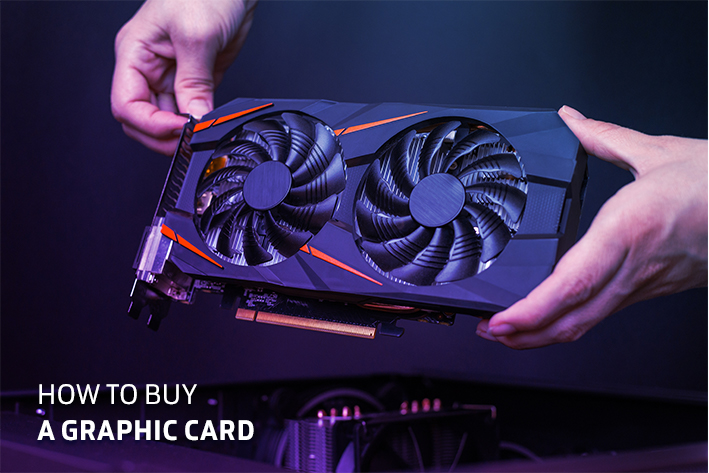
How To Buy A Graphics Card

Graphic cards are available now, do you think mining is still taking them all? Are you thinking of taking advantage of this opportunity and changing your card, do you think it’s worth it?
There are a lot of questions about the RX 580, which was a great card when it was released on the market in 2017 and offered strong performance, and it could have been the first choice in the medium category, but in 2022 the situation is different, there are many cards we have spoken about before such as the GTX 1660.
As for the new generation, there is the RTX 3050, which is characterized by more than one feature, specifically, the DLSS feature, which is exclusive to RTX cards and depends on image rendering to display it at a better resolution while maintaining the same image quality and increasing the number of frames. For example, if you play a game like Cyberpunk 2077 on High and an average of 30 frames per second, if you run the DLSS, you will approximately get 80% performance increase, which means about 54 frames per second, and the DLSS feature can play 2K on the RTX 3050 card without any problems with this feature.

Now let’s see the actual difference between the game God of War on 1080p and High Settings. On the RTX 3050 card, the game runs at 63 frames. On the other hand, on the RX 580 8GB card, the game runs at 40 frames. If we run DLSS on the RTX 3050, the game’s performance will reach 72 frames, which means a 45% performance difference compared to the RX 580.
Energy consumption: The RX 580 8GB card consumes about 180W, while the RTX 3050 card consumes 130W. This is due to the architectural design and the difference in generations between the two.
Make sure to follow us on Instagram (https://bit.ly/HnkzInst) for future tests of games, “choose the game you like and we will run a benchmark on it.

Posted on 2 Comments

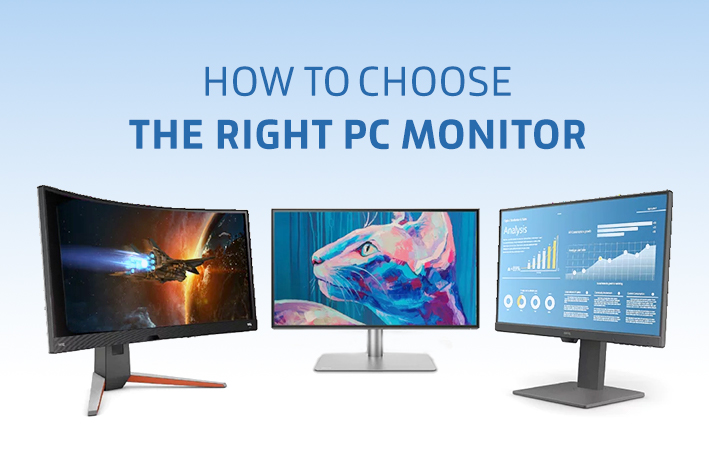
How to Choose Best Monitor for Your Use

We thought about how we can benefit our customers and the Hacker’s family, who are always waiting for information from us to help them in buying hardware items. So we researched the most searched items through the hardware community, whether they are content creators or gamers.
In this context, we will talk about screens and what types of screens are there. And how to choose the right screen for your assembly? We would like to tell you that we are with you in everything you need to understand and we will provide you with all the information that will make you a listener to an expert!
Let’s clarify an important point and that is that we have 3 types of screens, which are IPS, TN, and VA. What does this mean and what is the difference between them and do they have common characteristics?
First, we will mention the similarities between the screens:

1- Quality of colors

Which is the unit of measurement (Adobe RGB, sRGB) The Adobe RGB feature contains a wider range of colors by 35% than sRGB, what does this mean,
Approximately colors are present in RGB are about 16.7 million colors, but the types of RGB differ in the clarity of the colors. For example, if we assume that the blue color is from 100%, then the largest percentage to show the shades of the blue color will be for Adobe RGB, and this is what tends to be more understood by people, content makers, or engineers. To contrast screen color accuracy.

2- Response rate

And this is what is known as the response time, and it is the unit of measurement in milliseconds. The response rate is the time that the screen consumes in switching from one color to the next, so the lower the response rate, the better it will be.
The response rate is of two types {MPRT, GTG}, but the GTG response rate is better than the MPRT.

3- Hertz

Hertz in screens stands for the number of screen page refreshes per second, what does this mean?! The screen is made up of pixels, which are formed next to each other so that in the end it will be the page that you are on, so the number of pixels increases and the more the number of updates per second, the smoother the screen increases, and this can be noticed for example while you are playing, for sure the number of hertz will be more difference With the gamers community more than the content creator, and this is because gamers want to play smoothly without any cuts.
drop frame; The drop frame means that the number of refreshes on the screen is suddenly lowered, so it gets cut off in the game and the enemy in front of you is no longer clear or you find its movement slow so the shot is not caught, and this is almost most of the problems that gamers or streamers face in shooting or sniping games; The reason for the frame drops is that their graphics card or processor performance has been downloaded once, so there will be a fall in the number of updates in the frames, as we explained.

4- Bleeding and glowing

It means that the screen will have a slight interference in the colors “pixels” and this problem is almost in IPS screens, but recently they announced that this is not a problem and that some copies of the screens are faked with this feature, but let me explain to you that it will not have a big impact With you in using the screen in terms of colors.

5- pixels per inch

And what is known as PPI is almost important for all uses, whether you are a gamer or a content creator, and the screen remains a line of pixels next to each other that work in a specific shape and format, which results in the final look of the screen.

Almost like this, we have explained most of the terms that you need to understand when you are buying a monitor, focusing on the features that you need from the screen based on your use. For example, if you are a fan of games and streams, then you will focus more on the response rate of the screen, but if you are a content creator, it will not make any difference to you. The response rate, but you will focus on the quality and clarity of the colors more.
Do you know what FreeSync and G-Sync mean? ”
When choosing the right screen for you, I thought why should I choose G-Sync or FreeSync?
Both technologies are designed to reduce tearing and stuttering and improve visibility
To enjoy a better experience with graphics cards and solve most problems
However, on some FreeSync monitors, it does not cause ghosting
And you will be able to enjoy FreeSync technology with most cards from NVIDIA and AMD
But G-Sync only supports NVIDIA cards
And the two technologies will feel a noticeable difference if your screen is above 120 Hz
Most of the screens will have FreeSync, but G-Sync will be on a few specific screens
Because FreeSync is open source, any company can use it on their screen
But G-Sync is developed by Nvidia and any company should buy rights from Nvidia
For its screen to have G-Sync because a chip is installed
In monitors to support G-Sync, they are always in a more expensive price category than regular monitors
But FreeSync is all different price categories.

Who achieved better framerate technology AMD & NVIDIA?

▪️ In today’s information, we will talk about FSR and DLSS technology and the advantages of each technology
▪️ In the beginning, we need to know what the FSR and DLSS are.
▪️ The FSR is a technology introduced by AMD that will help you reach high levels
▪️ By rendering the image in low quality, raises the quality
▪️ Using certain algorithms, FSR technology, the beginning of its appearance was in June 2021
▪️ And it supports all AMD and NVIDIA cards
▪️ As for DLSS technology, it is a highly accurate algorithm supported by artificial intelligence
▪️ Tensor cores dedicated to RTX support AI that helps improve performance
▪️ This helps fill in the missing information from the low internal resolution
▪️ Only all NVIDIA cards are supported from the RTX generation
▪️ The launch of DLSS was in February 2019

Types of screens

1- IPS

The majority of content creators need this type of screen because of the sharpness and clarity of colors. IPS screens contain Adobe RGB, and as we explained, it contains a large number of colors compared to sRGB. IPS screens are of the flat type, and this is due to the contrast and clarity of colors in the screen. You are not different. You finish your work and let me explain to you that the response rate will be high relative to the other types of screens, and this will not make any difference to you, because its effect is non-existent on the screen while you are working.

2- T.N

If you are from the category of gamers, this type will prefer it over the rest of the other types due to the decrease in the response rate of the screen, and almost all types of TN from the screens will be from the category of Gray-To-Gray or known as GTG, the best type of rate of redemption to avoid any drops of frame or lag while you are playing and The trail frame or the lag makes you see the enemy moving slowly and pointing the gun at you, but in the first place, he hit you with a headshot.

3-VA

VA screens bring together content creators and gamers because their color accuracy is equal to or less than IPS screens and at the same time the response rate is low. Almost this type of screen will have a high demand in the market, and this is because content makers who are game enthusiasts will prefer the VA stands for IPS, these are heavy-duty screens, and you won’t say no to anything, whether it’s work or play.

Conclusion;

What is the right screen for me?!
The first question you have to answer is why do I need the screen? IPS is the best choice if you are a content creator and working on Photoshop programs, you will need high color accuracy. As for the choice, it will go to TN if you are a pure gamer because of the low redemption rate on the screen. If you are a collector between a content creator and a gamer, the best choice will be for VA screens to combine the characteristics of the two types…